
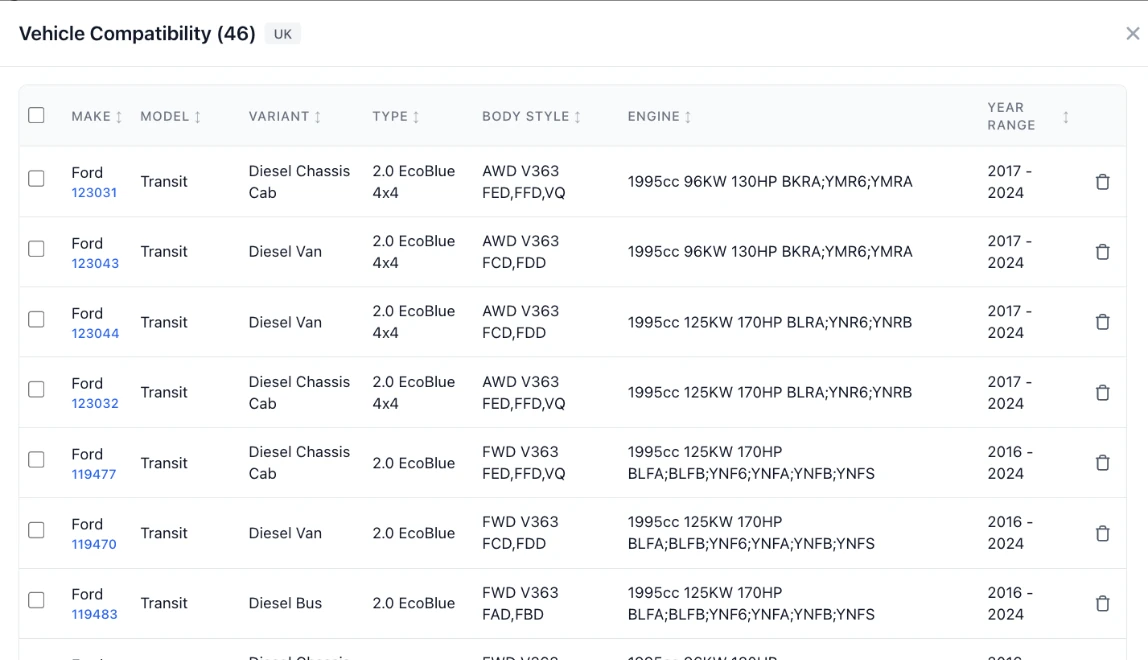
Keep the compatibility list on the product, not on each listing. Import it from eBay, add vehicles by model, K-type or number plate, check it against the live listing and sync it back. The same list goes to Amazon and Temu.
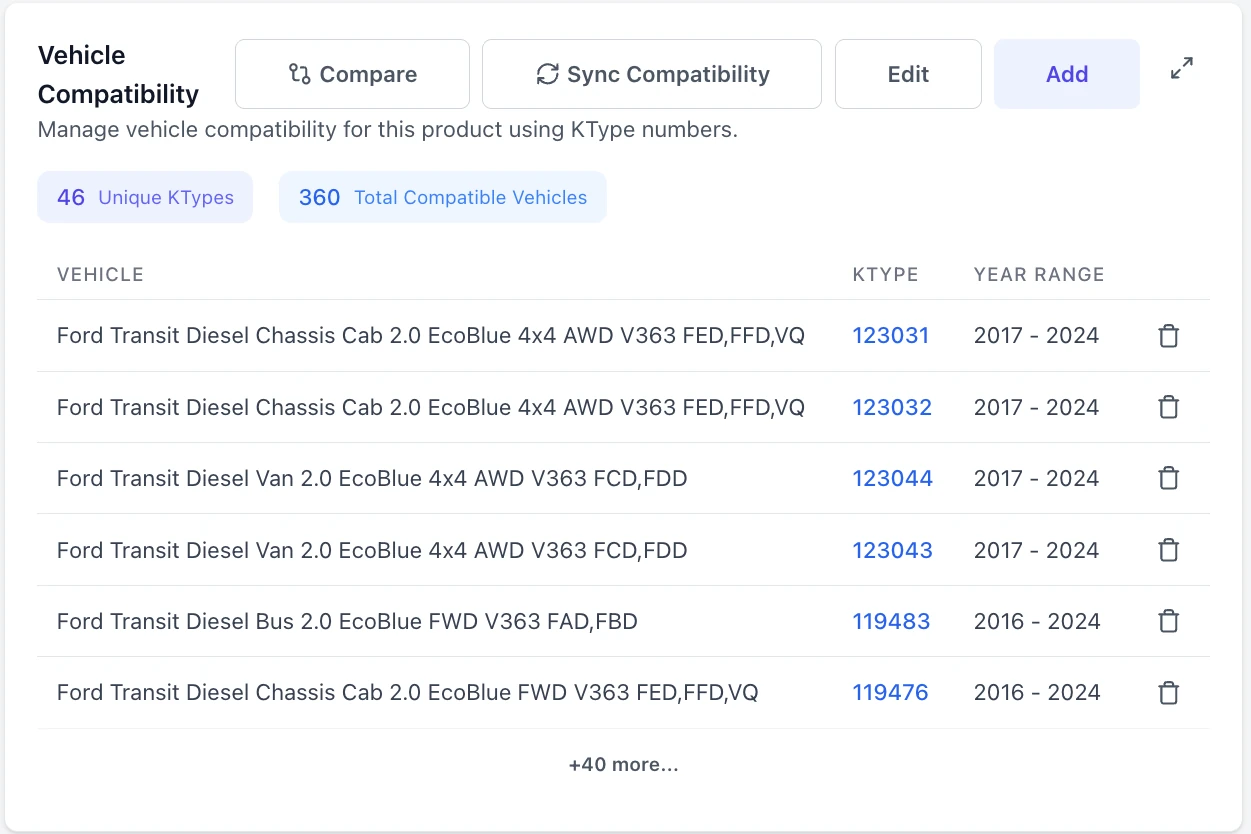
Most sellers already have fitment on their eBay listings. Huup starts there and fills the gaps.
Connect your eBay account. The compatibility list on each listing comes into the product, together with the OE/OEM and manufacturer part numbers. Several listings for one product merge into one list.
Pick make, model, variant, body style and engine, or paste K-type numbers. Huup checks them against the vehicle list for that eBay site and fills in the years.
Paste the item ID of any eBay listing for the same part and Huup maps its compatibility table to K-types. Rows it cannot match are kept aside for you to check.
Type a UK registration. Huup finds the vehicle and its K-type, so you can add it to a part or see what you already stock for it.
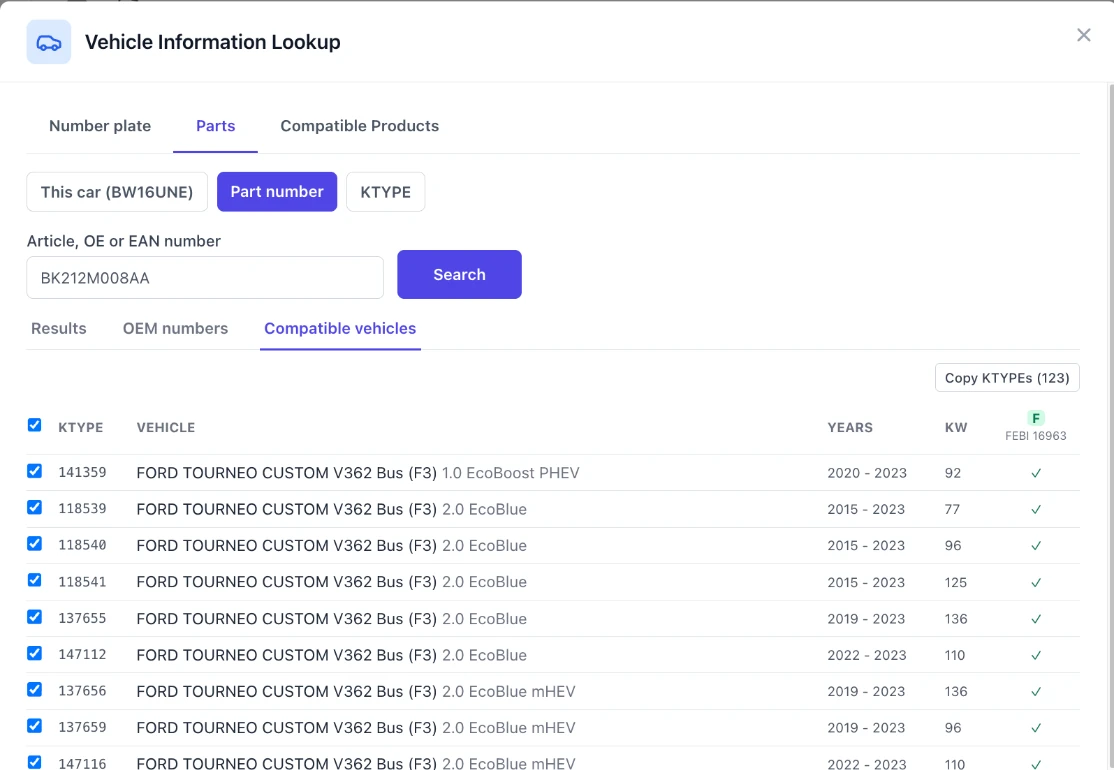
Search the OE number on the product. Huup finds the vehicles that part fits, shows which are new and which you already have, and adds the K-types to the product.
Most parts sellers have years of compatibility on their eBay listings. Huup reads it into the product so nobody types it again.
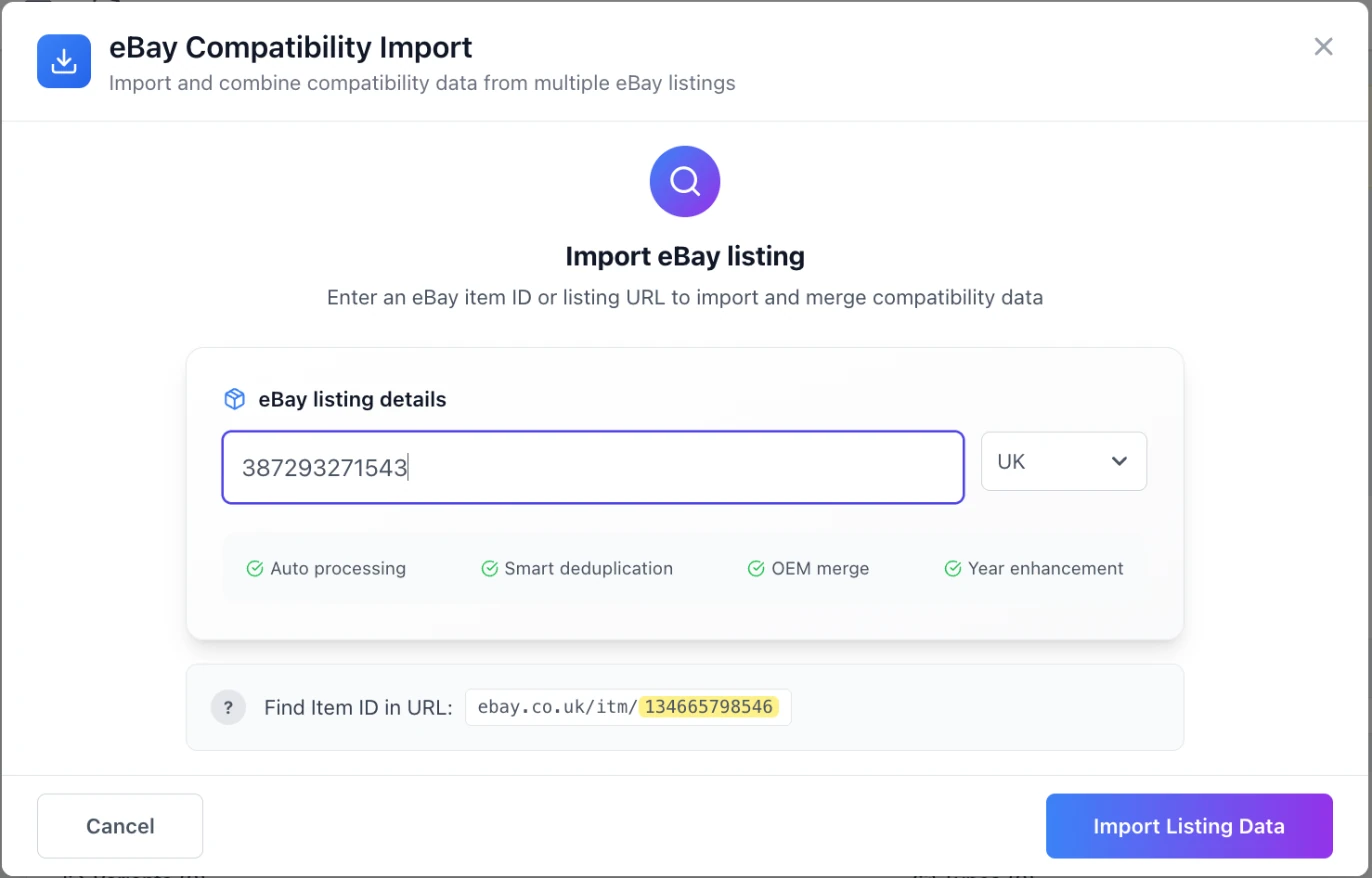
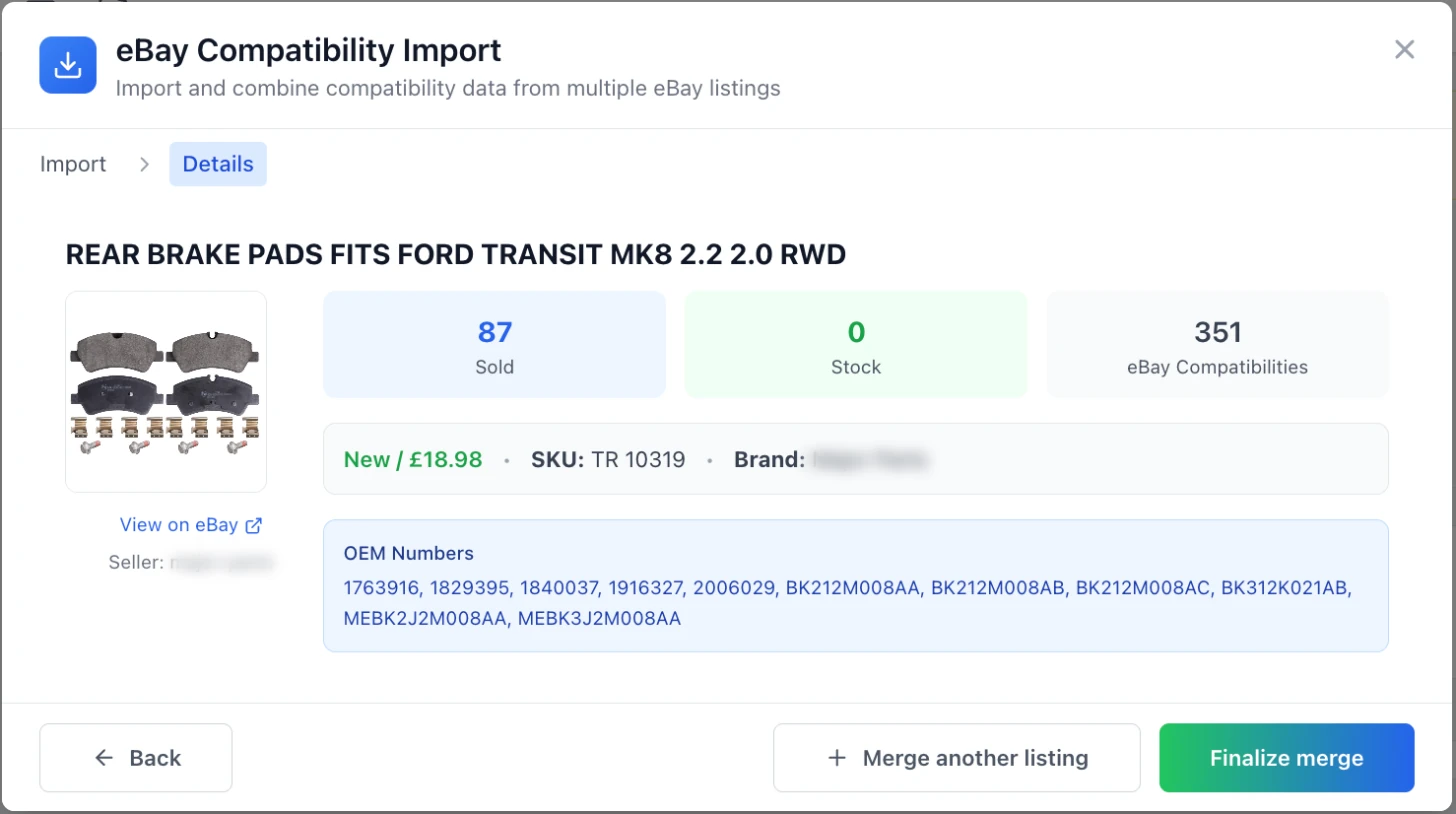
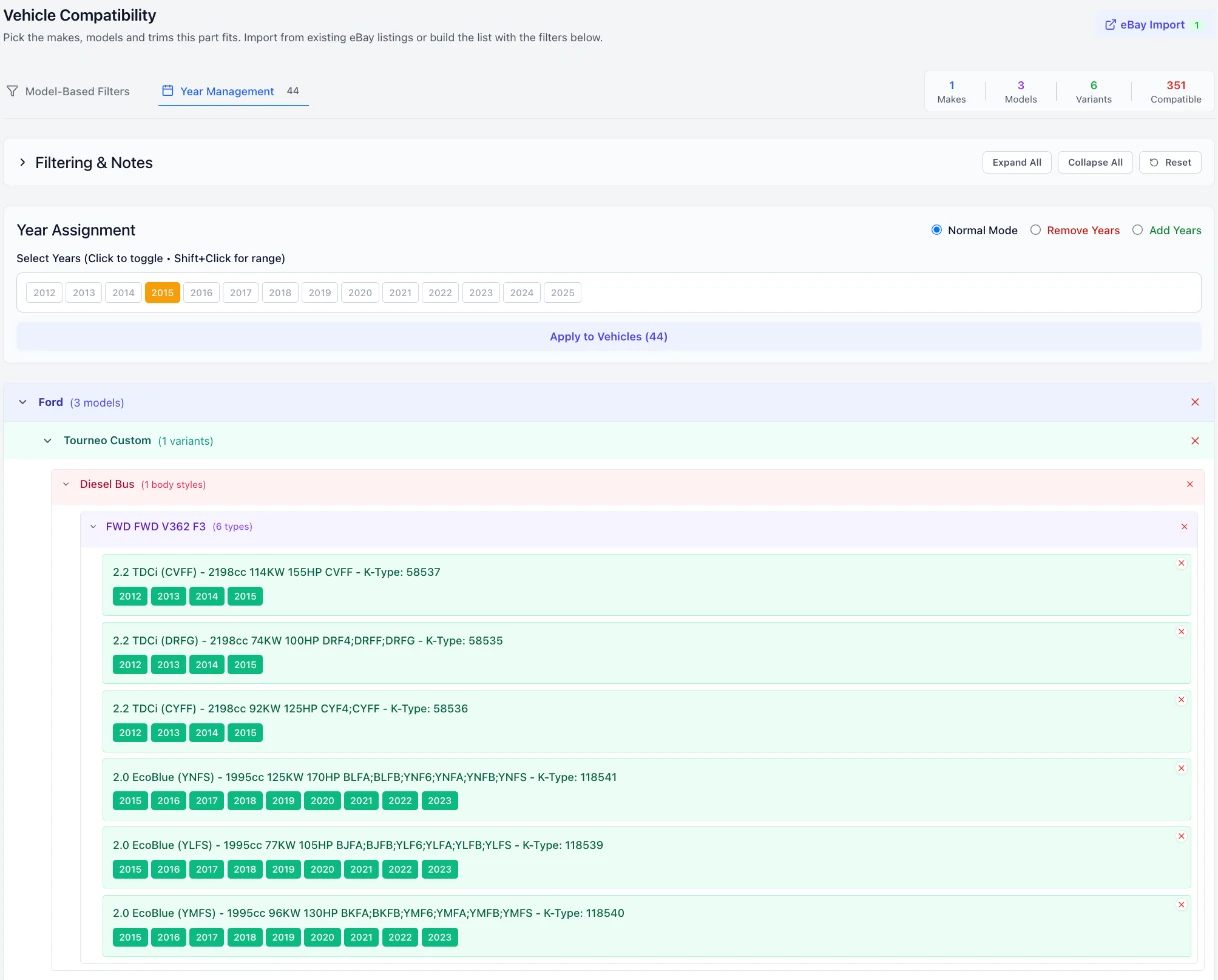
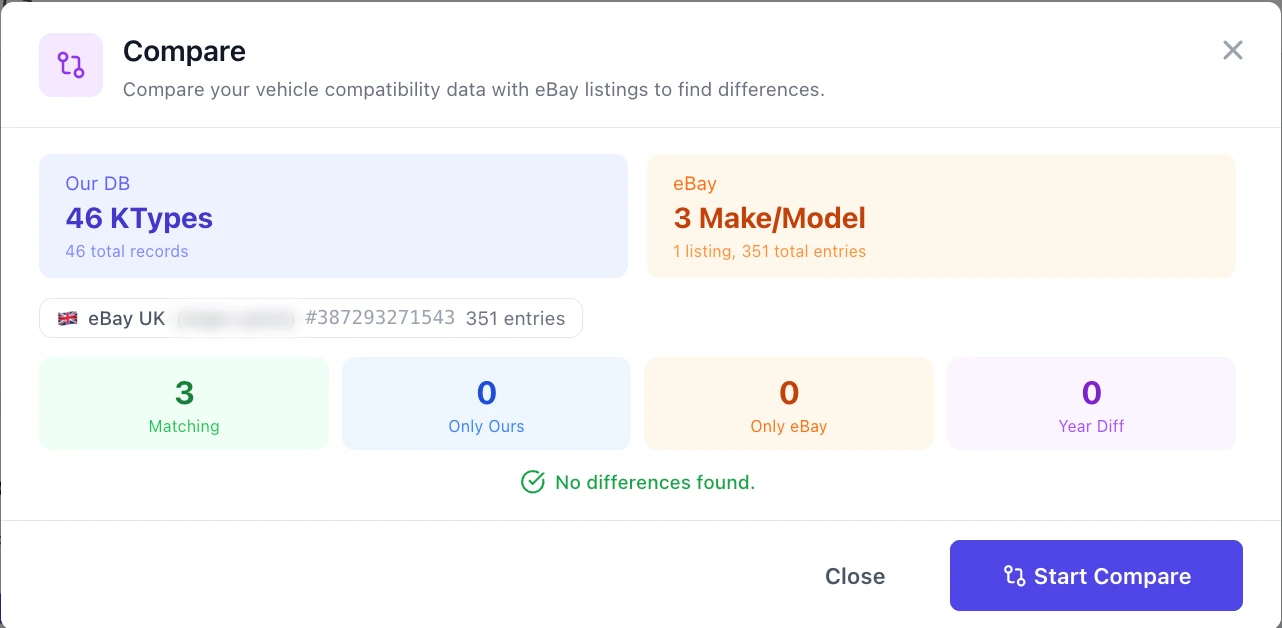
Open Compare on a product and Huup reads the live eBay listing. You see what matches, what only you have, what only eBay has and where the years differ.
Enter a UK registration and Huup returns the vehicle and its K-type. One more click shows every part you sell that fits it.
More on number plate lookup →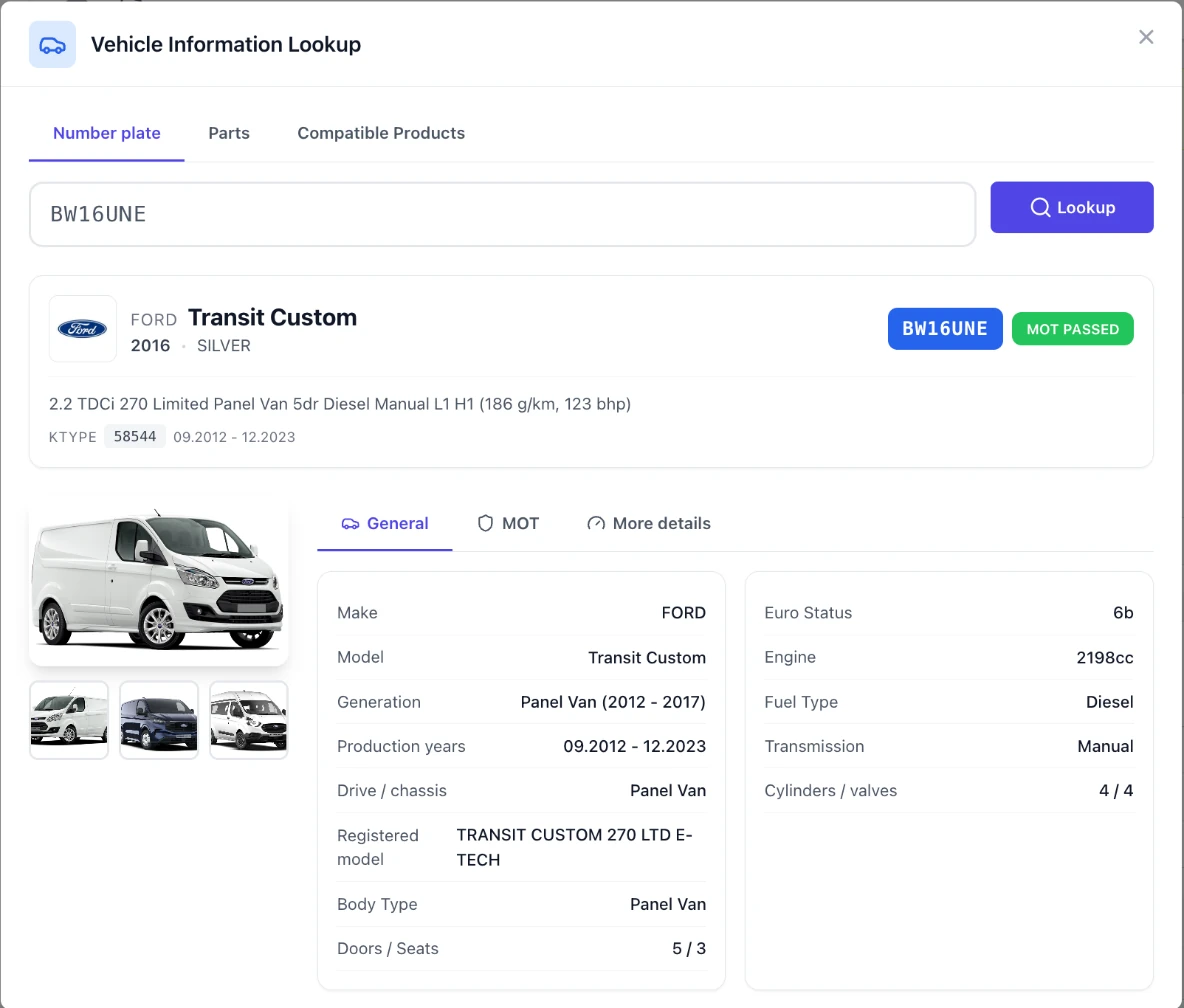
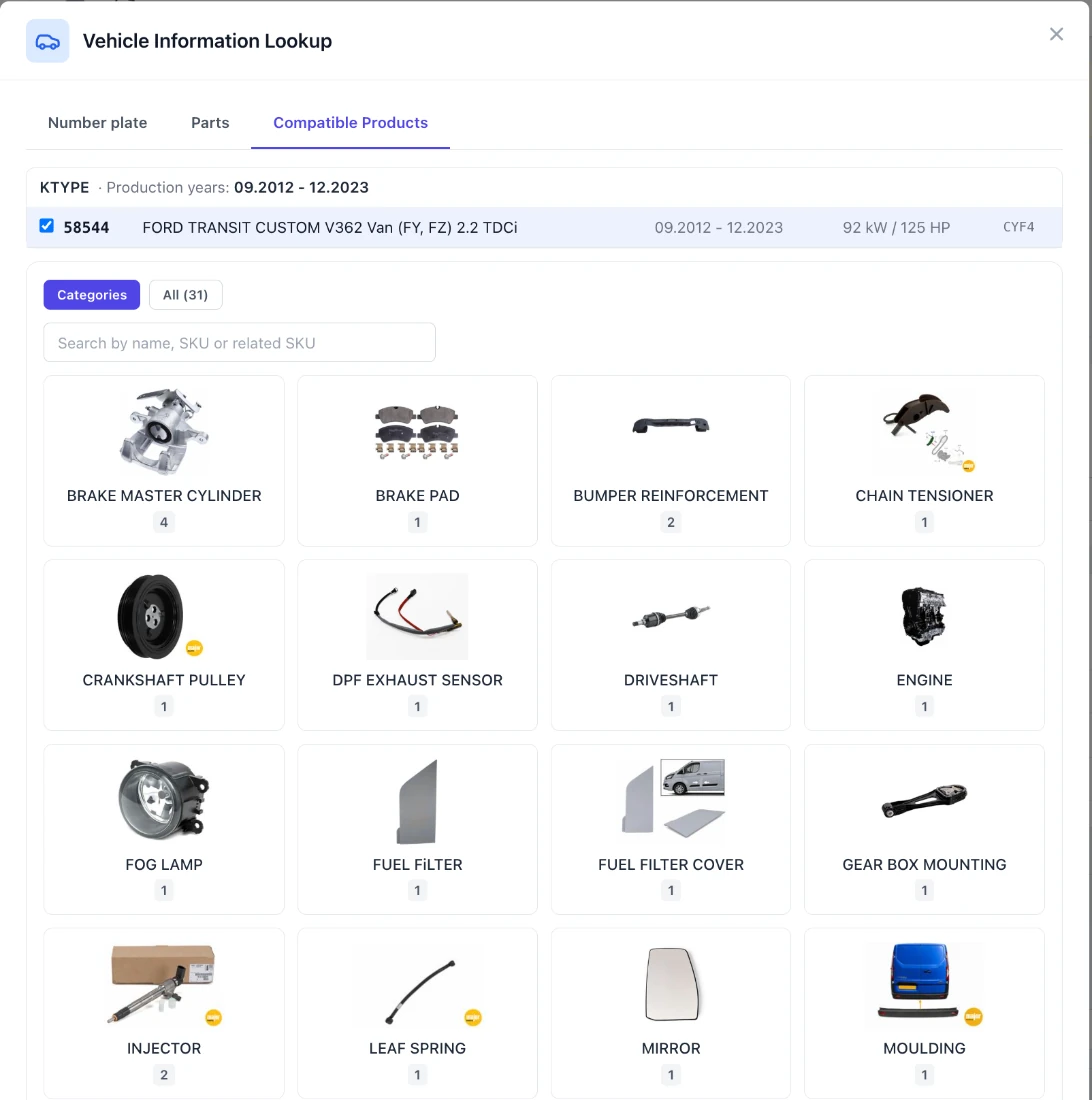
Type an OE, article or EAN number. Huup lists the matching parts and the vehicles they fit, with K-type, years and power.
The compatibility you built is not stuck in the old tool. It is on your eBay listings. Connect eBay to Huup and the import reads it back into your products, so you keep the work.
If you sell on Amazon as well, the same list goes into the vehicle fitment of your Amazon listings. Most eBay fitment tools never touch Amazon.
A K-type is the vehicle ID eBay uses for parts compatibility in the UK and Germany. Amazon uses the same ID for vehicle fitment in Europe. Keeping fitment as K-types means one list works on eBay UK, eBay DE and Amazon without converting it. eBay US uses ePIDs, which Huup also stores.
eBay UK, eBay Germany and eBay US. The UK and Germany use K-types and the US uses ePIDs. Each site is checked against its own vehicle list.
eBay now adds compatibility to some UK listings by itself, using the brand and part number. eBay's API does not return the vehicles it added, so Huup works with the list you provide. That list also goes to Amazon and Temu, which eBay's automatic fitment does not do.
Yes. Paste the item ID of any eBay listing and Huup reads its compatibility table and maps it to K-types. Rows that do not match a known vehicle are shown for you to check.
No. Huup looks up UK number plates. The plate gives the vehicle and its K-type, which is what eBay and Amazon need.
Yes. The K-types on a product are sent as vehicle fitment when you publish or revise the Amazon listing, on Amazon UK, DE, FR, IT, ES, NL, SE and PL.
Free up to 100 orders a month. No card needed.