Product/Automotive/Amazon fitment
Amazon vehicle fitment

Amazon fitment from the list you already have.

Amazon in the UK and Europe uses K-types for vehicle fitment, the same IDs as eBay. Huup keeps them on the product and sends them with every Amazon listing you publish or revise, so you do not build fitment twice.

●K-type, Amazon's EU standard·Amazon UK and 7 EU stores·Same list as eBay and Temu
● Five ways in

Fitment gets in however you already work.

Your Amazon fitment does not have to start empty. If the vehicles are already on your eBay listings, they come in with the import.

1

Import it from eBay

Connect your eBay account. The compatibility list on each listing comes into the product, together with the OE/OEM and manufacturer part numbers. Several listings for one product merge into one list.

2

Add it by vehicle or K-type

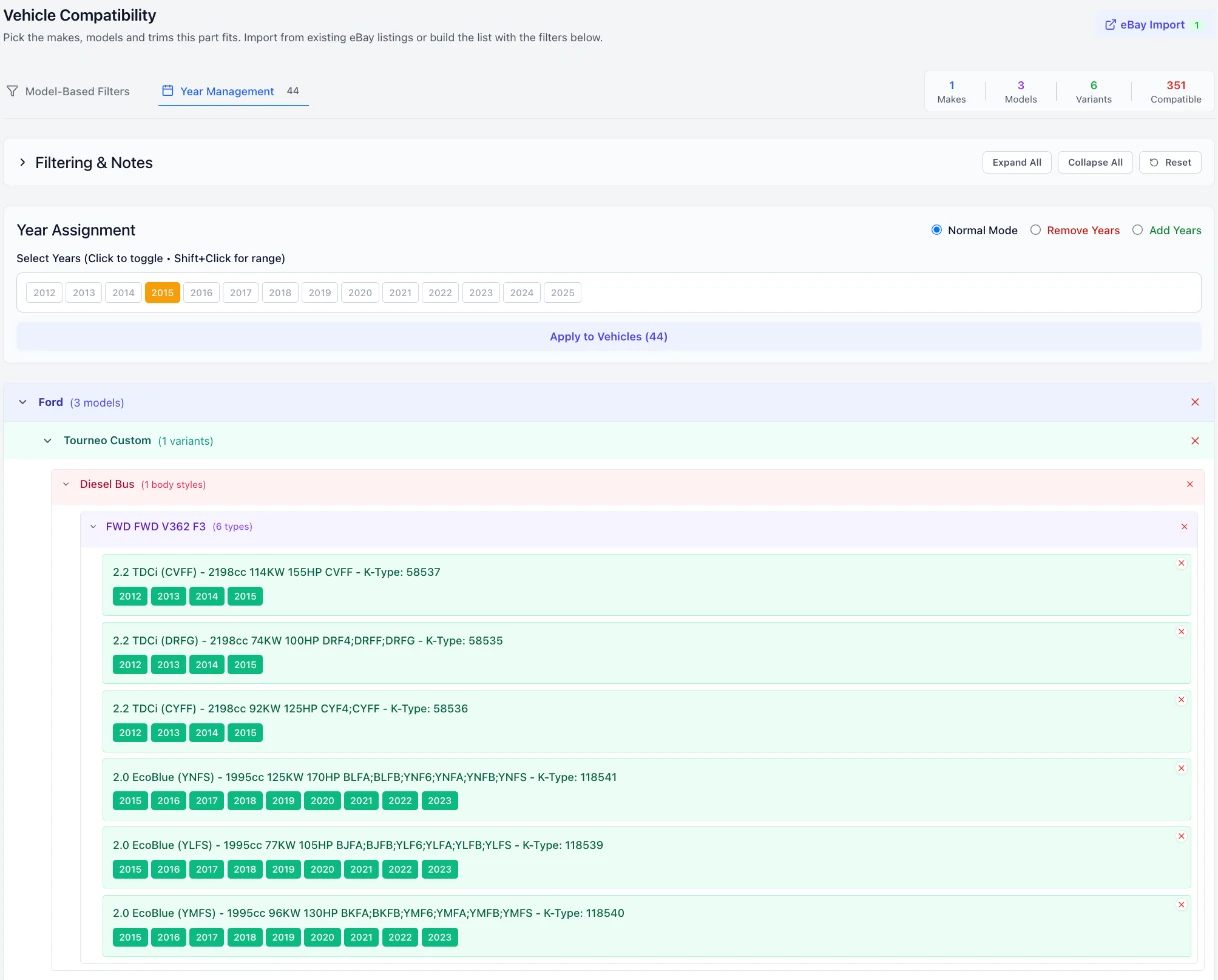
Pick make, model, variant, body style and engine, or paste K-type numbers. Huup checks them against the vehicle list for that eBay site and fills in the years.

3

Copy it from another listing

Paste the item ID of any eBay listing for the same part and Huup maps its compatibility table to K-types. Rows it cannot match are kept aside for you to check.

4

Start from a number plate

Type a UK registration. Huup finds the vehicle and its K-type, so you can add it to a part or see what you already stock for it.

5

Pull it from the catalogue by OE number

Search the OE number on the product. Huup finds the vehicles that part fits, shows which are new and which you already have, and adds the K-types to the product.

● Import from eBay

Bring in the fitment you already built.

Most parts sellers have years of compatibility on their eBay listings. Huup reads it into the product so nobody types it again.
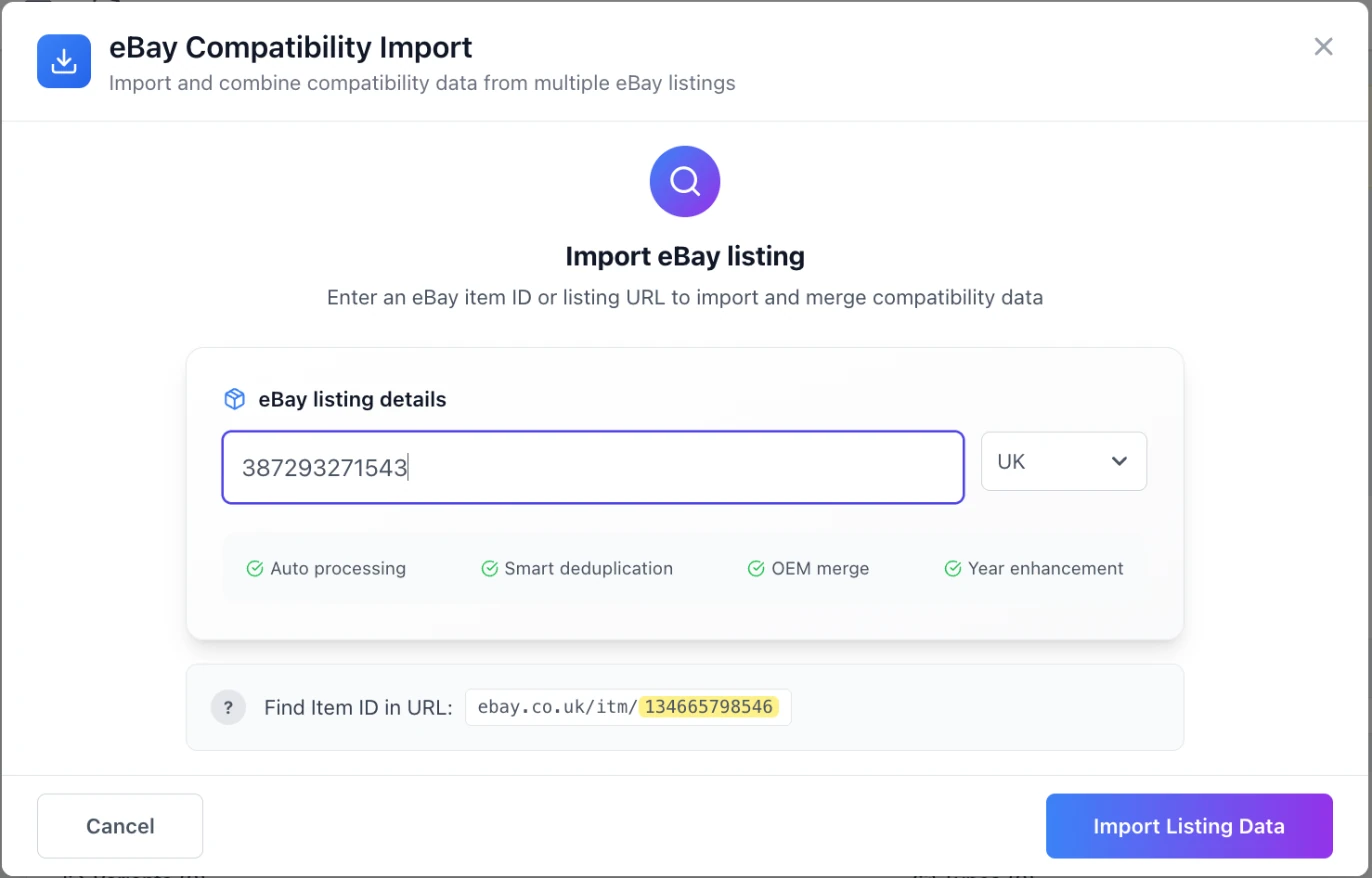
1Paste an item ID.Your own listing, or any other eBay listing for the same part.
Paste an item ID.
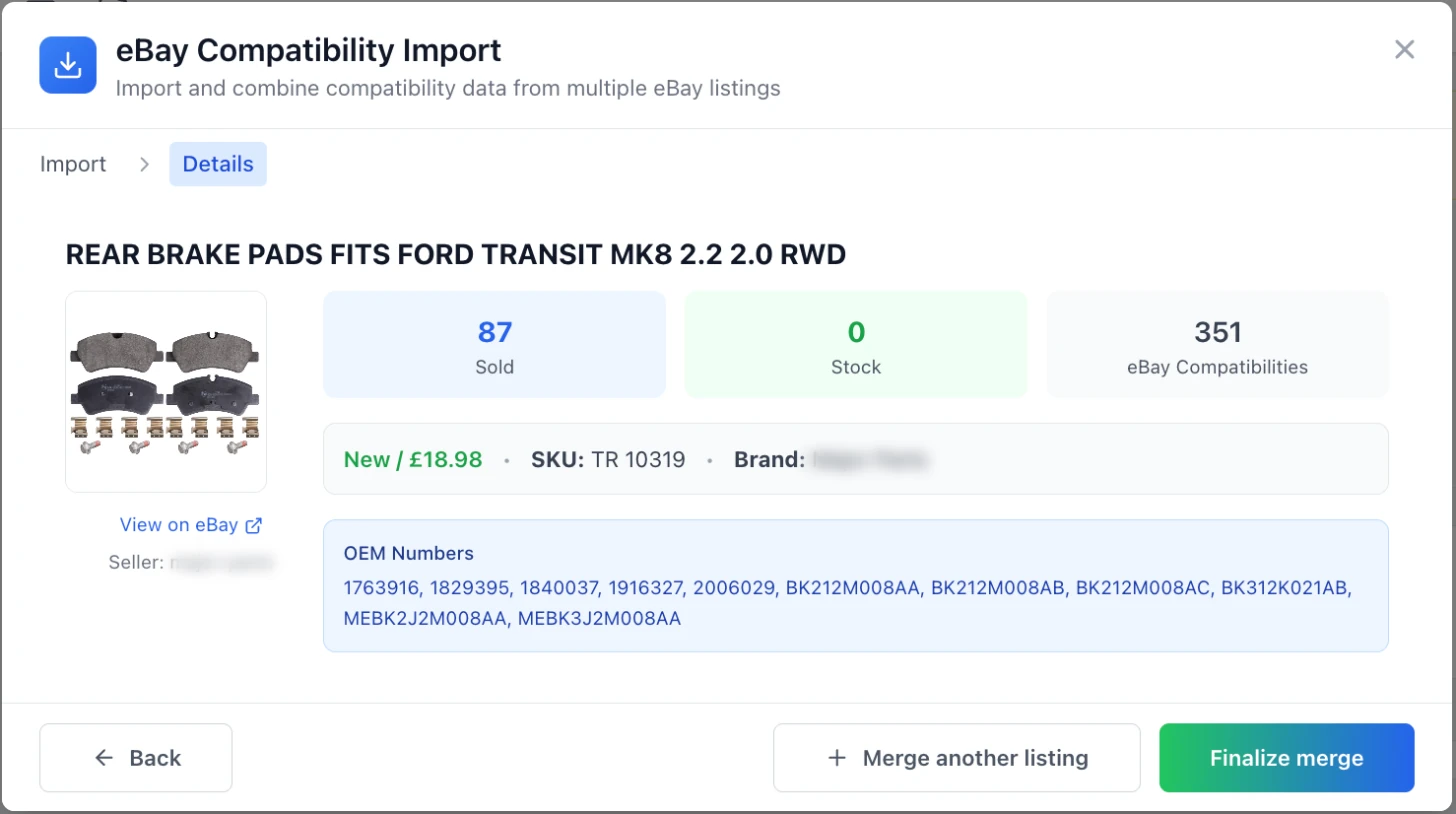
2Compatibility and OE numbers come in.Huup reads the vehicles and the OE/OEM part numbers. Merge more listings into the same list if you need to.
Compatibility and OE numbers come in.
3Vehicles are grouped by make and model.Check them, add or remove years, and drop anything that does not fit.
Vehicles are grouped by make and model.
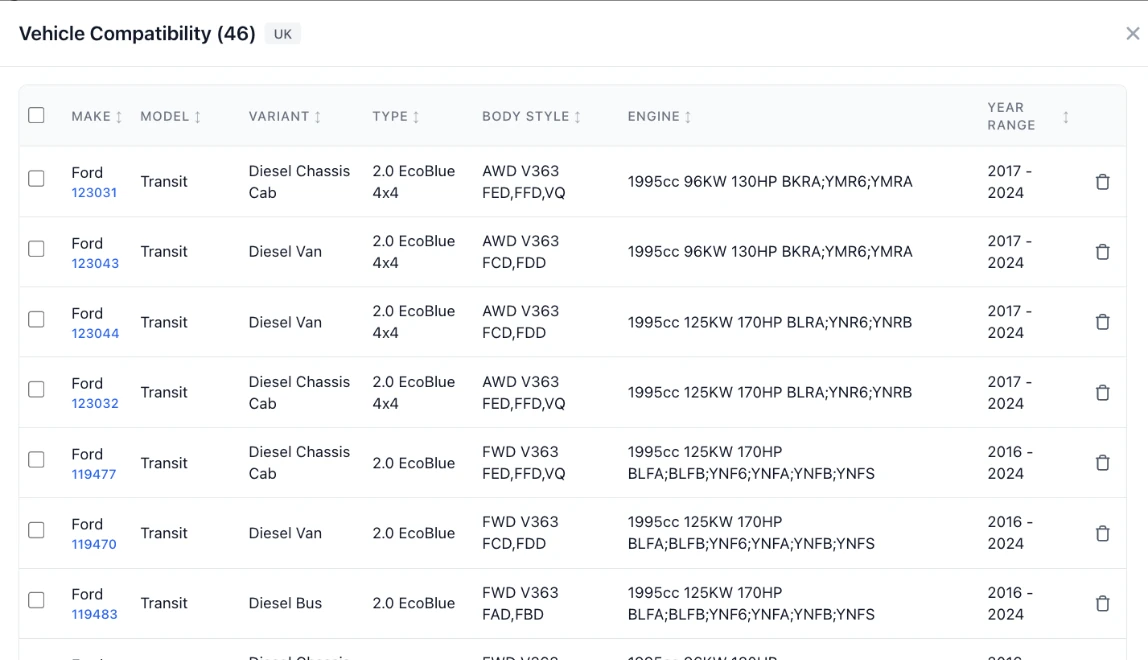
4Every vehicle, with its K-type.The full list sits on the product with engine, body style and years, ready for eBay and Amazon.
Every vehicle, with its K-type.
● One list, every channel

Amazon, eBay and Temu read the same vehicles.

Fitment lives on the product. Each channel gets it in its own format when the listing is published or revised.

✓
Amazon: K-types go into the vehicle_fitment attribute for the store you publish to.
✓
eBay: the same list becomes the compatibility table on eBay UK and DE, with ePIDs on eBay US.
✓
Temu: K-types are sent as the vehicle reference.
✓
No upload files: no Part Finder spreadsheets to keep in step with your catalogue.
AmazonUK · DE · FR · IT · ES · NL · SE · PL
vehicle_fitment, K-type standard
eBayUK · DE · US
Compatibility table, K-type (UK, DE) or ePID (US)
TemuEU
K-type vehicle reference
Fitment is sent when a listing is published or revised.
● Number plate lookup

A customer gives you a reg. You see what fits.

Enter a UK registration and Huup returns the vehicle and its K-type. One more click shows every part you sell that fits it.

More on number plate lookup →
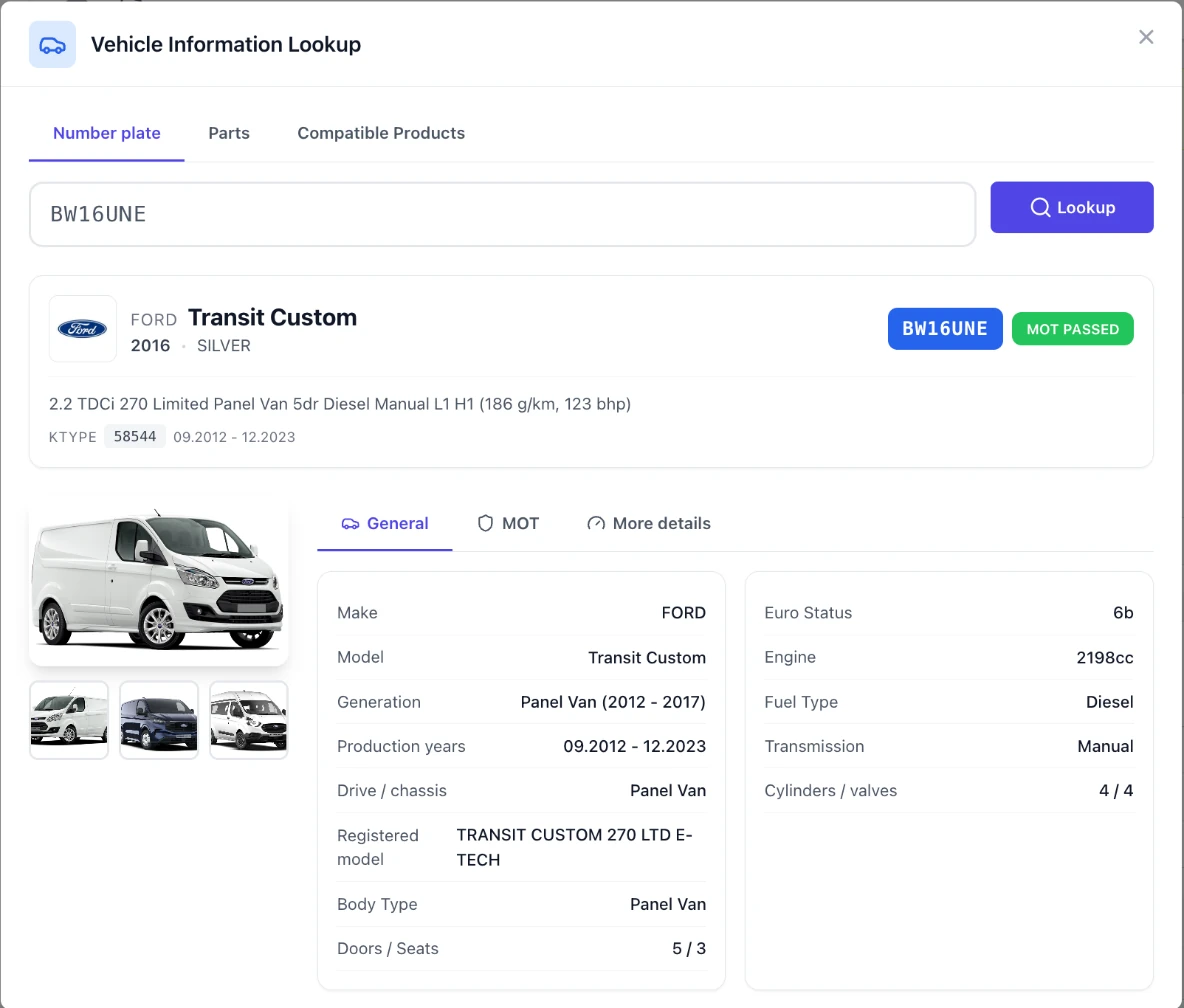
1Type the reg.Huup returns the make, model, engine, production years, MOT status and the K-type.
UK number plate lookup in Huup returning a Ford Transit Custom and its K-type
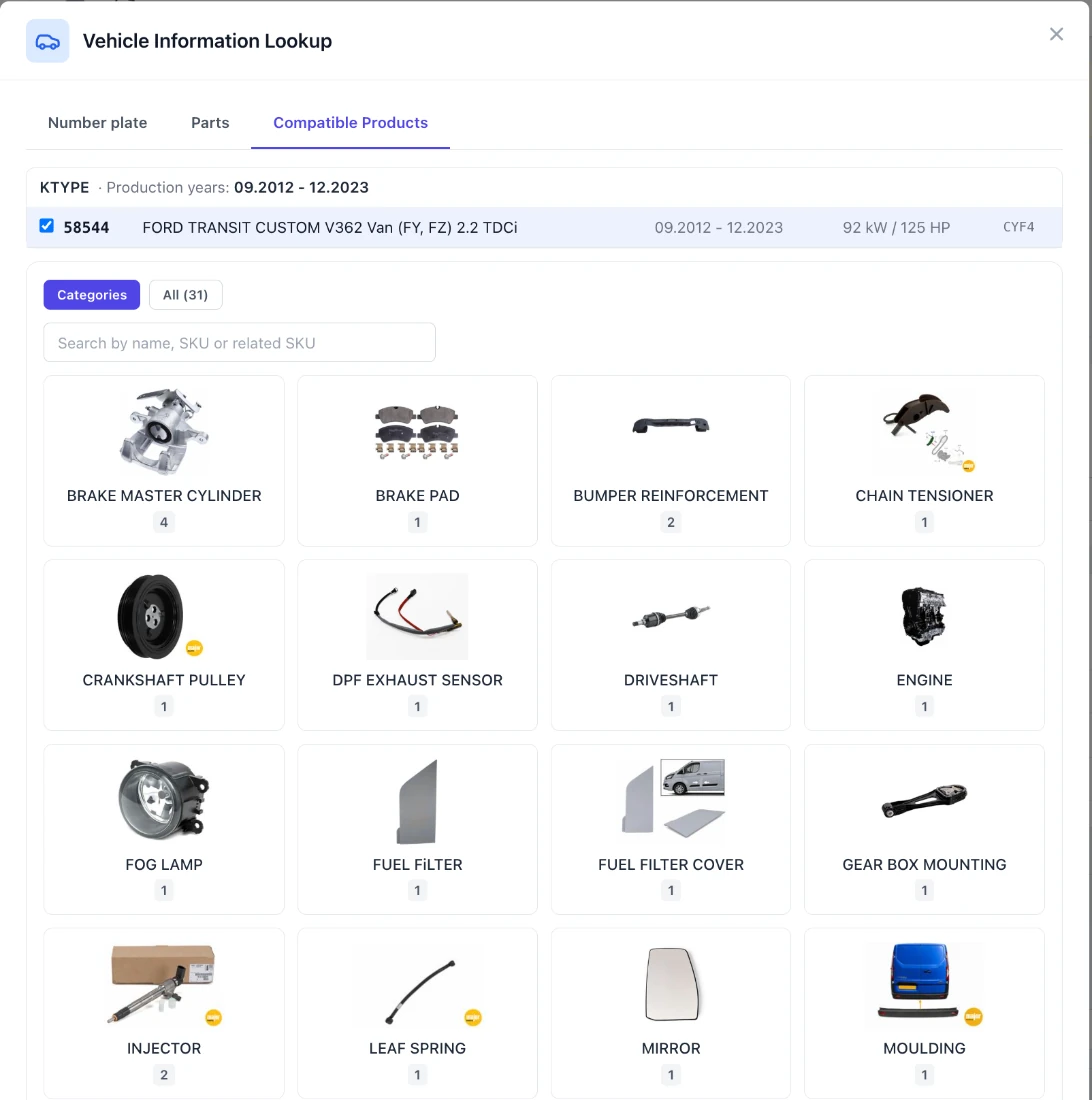
2See the parts you sell that fit.One click on Compatible Products lists every product with that K-type, grouped by category. Search by name, SKU or related SKU.
Products that fit the looked-up van, grouped by category
● Part number lookup

Start from an OE number. See every vehicle it fits.

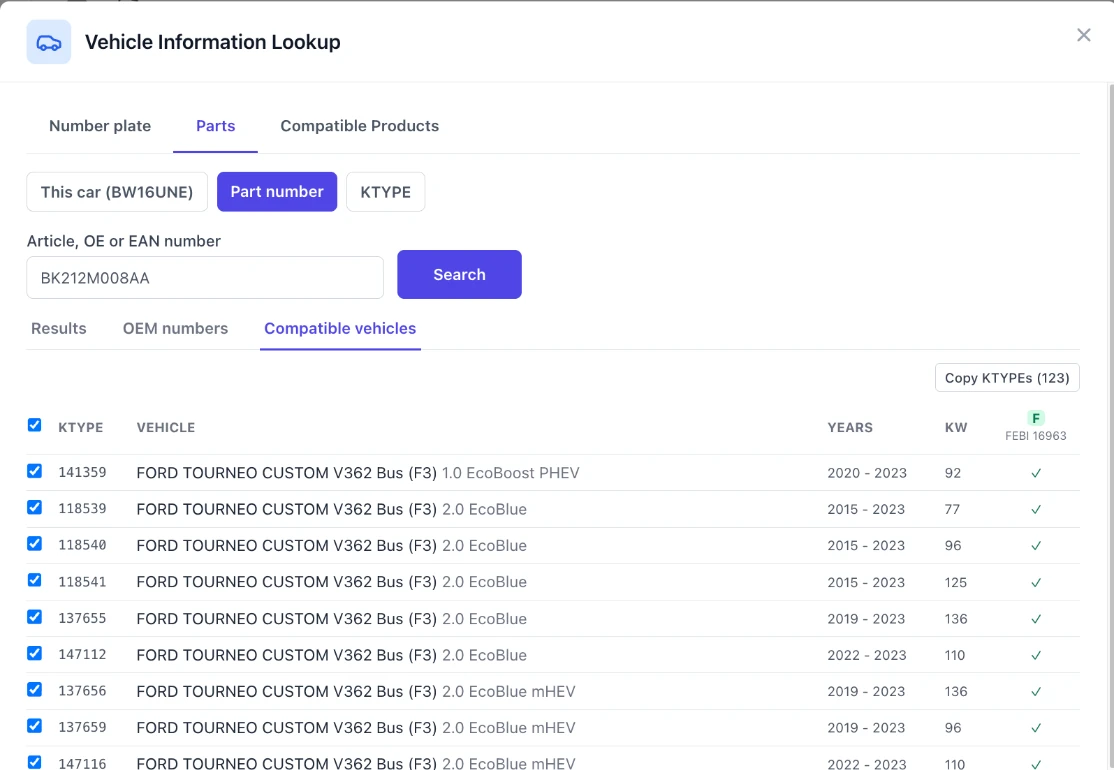
Type an OE, article or EAN number. Huup lists the matching parts and the vehicles they fit, with K-type, years and power.
✓
Any number on the box: OE, article or EAN.
✓
Add them to the product: Huup shows which vehicles are new and which you already have, then saves the K-types. Or copy the list in one click.
✓
Switched on per account. Ask us and we turn part number lookup on for you.
Part number lookup in Huup: one OE brake pad number returns 123 Ford vehicles with their K-types
● Switching tools

Coming from myFitment or another fitment tool?

The compatibility you built is not stuck in the old tool. It is on your eBay listings. Connect eBay to Huup and the import reads it back into your products, so you keep the work.

myFitment also sent fitment to Amazon. In Huup the list you bring in from eBay is the one that goes to Amazon, so the move covers both.

● Questions

Amazon fitment questions

Which Amazon stores get fitment?

Amazon UK, Germany, France, Italy, Spain, the Netherlands, Sweden and Poland. These stores use K-types. Amazon US uses a different standard (ACES) and is not covered.

What is a K-type?

It is the vehicle ID used for parts fitment in the UK and Europe. Amazon's vehicle list gives every vehicle a K-type, and eBay UK and DE use the same numbers, so one list serves both.

How is this different from Amazon's own Automotive Fitment tool?

Amazon's tool edits fitment inside Amazon. Huup keeps fitment on your product and sends it to Amazon, eBay and Temu, so a change is made once.

Can I update only the fitment on an Amazon listing?

Fitment travels with the listing. Change it on the product and revise the listing. Huup does not read fitment back from Amazon.

Where does the fitment come from if I start from scratch?

Import it from your eBay listings, add vehicles by make and model or K-type, copy it from another eBay listing, or start from a UK number plate.

Do you decode VINs?

No. Huup looks up UK number plates, which gives the vehicle and its K-type.

Build fitment once.
Send it to Amazon too.

Free up to 100 orders a month. No card needed.

eBay UK, DE, US · Amazon UK and EU · Temu · UK plate lookup